

Icom IC-7300 100W HF/50MHz SDR Transceiver
New Arrival

The IC-7300MK2 has arrived! Featuring native HDMI, USB-C, and Built-in LAN. See how it compares to the original.
Compare Models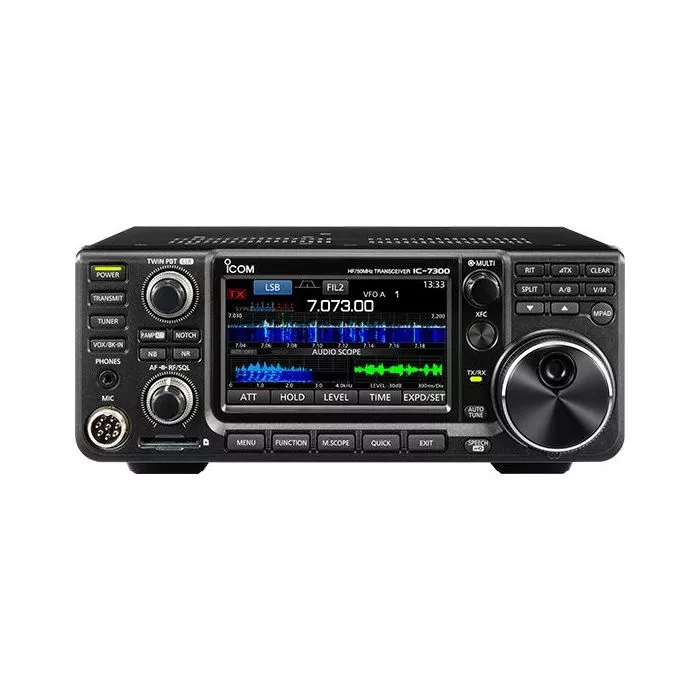
SKU:
ZIC-7300
Availability:
In stock
$1,099.95
$1,099.95

VIP Price
SAVE $100.00
Used & Open-Box:
from $899.29


Description
Features
Specifications
Includes
FAQ


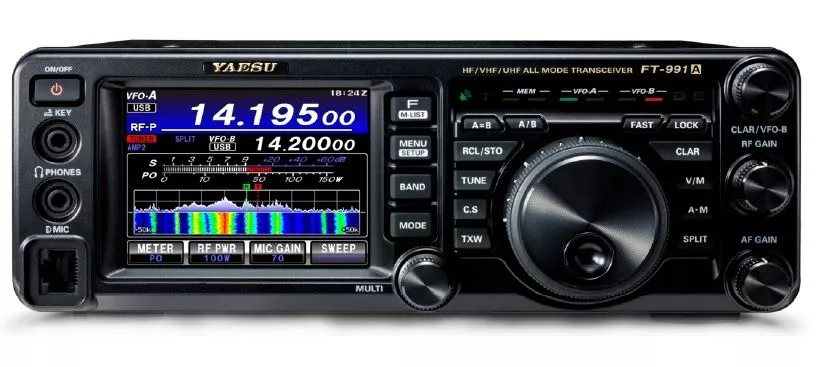


Interactive carousel showing related products. Use navigation buttons or swipe to browse items.
Customers who bought this item also bought
Customer Reviews
Overall
5
Just perfect!
Review by
WA0TTN
I've been licensed since 1968 and have owned everything from homebrew to Heathkit to Collins. I have to say that this SDR radio is just the most exciting and fascinating rig I've ever had. There have been so many classic radios in the past, but this one is truly a classic today. It took a bit of time to read through all the features, but after a bit of tinkering I'm finding the UI is very intuitive. And, of course, it has a "big knob", which is the most important feature of a real ham xcvr. I love the touchscreen and how I can switch between digital, CW, and phone modes so easily. Icom really nailed this product. I thought the IC-706MkIIg was the best radio I would ever own, but now it's the IC-7300.
Overall
4
Awesome first HF transciever!
Review by
Doug
Purchased this for my new HAM hobby. LOVE IT.
Only thing I wish it had was backlighted keys.
Also there seems to be times when my transmitted modulation does not show up on the waterfall. A soft reset fixes it - but it only lasts a few minutes. Called ICOM and they had no idea what was happening. I would like to be able to see my transmission on the waterfall - but it does not appear most of the time. (mainly all the time) up until a reset - but then it just disappears again!
Only thing I wish it had was backlighted keys.
Also there seems to be times when my transmitted modulation does not show up on the waterfall. A soft reset fixes it - but it only lasts a few minutes. Called ICOM and they had no idea what was happening. I would like to be able to see my transmission on the waterfall - but it does not appear most of the time. (mainly all the time) up until a reset - but then it just disappears again!
Overall
5
IC7300
Review by
Terry
I HAVE HAD THIS RIG ABOUT 6 OR 7 WEEKS A BIG UPGRADE FOR ME I WENT FROM 1C718 TO A IC7300 AND IT IS VERY GOOD RIG NOT GOING TO COMPARE THE 7300 TO THE 718 BECAUSE THAT IS NOT FAIR I THINK I WILL SAY THE 718 IS A VERY GOOD RIG RAN IT OVER 10 YEARS AND THE 7300 IS A VERY GOOD RIG A;SO I LIKE THE TX/RX I WOULD NOT THINK TWICE ABOUT GETTING ANOTHER 7300 IF THE WALLET WOULD LET ME
Overall
5
Beautiful SDR Radio
Review by
Chris
I have only been using this radio now for a couple days but with that said this radio is fantastic with the Noise Reduction, the filters, the Pass Band Tuning and Noise Blanker all these give you many options to filter out unwanted noise and interference!! The ability to not only hear the signals but to see them is totally fantastic (the Waterfall Display and the display in general is so crisp and clear) and without needing a separate laptop computer which in my base station I really don't have room for. I also like that it had the option to purchase the mobile mount which I used to mount this radio under a shelf keeping it off the desk! So many features on this entry level SDR radio! But in my humble opinion this is more than an entry level SDR radio or HF radio in general! I still like my Yaesu FT-891 (which will now go into my mobile setup), but when will Yaesu catch up in the SDR arena? And don't get me wrong I am not bashing Yaesu (I like Yaesu products a great deal also) but Icom hit it out of the park with this radio! Thank You Icom (I look forward to seeing the new 7610). If you are looking for your first HF radio or even your second like me you can't go wrong with the 7300!!! 73 fellow Hams
Overall
5
Impressive at this price point
Review by
Matthew
I have been A/B comparing the 7300 to my favorite rig (Kenwood 870) and I can say I am very impressed with the 7300. When you consider the price is just above entry level rigs it is a winner !!! Very intuitive to use. If your on the fence about trying a 7300 I say you cant go wrong!!
Icom got it right!
Review by
hamstar
Not only is the SDR receiver in this radio fantastic, the touch screen user interface is really intuitive.
Write Your Own Review
Only registered users can write reviews. Please Sign in or create an account